When individuals require immediate medical attention, they frequently search online for help. They want assistance fast and need a healthcare center that is nearby. Most people do not scroll through multiple websites. Instead, they view local options directly on Google Maps, selecting a healthcare center based on positive reviews, clear details, and updated operating hours. That is why your Google Business Profile is extremely significant. A strong profile helps more people find your clinic and encourages more patients to book visits.
What Is a Google Business Profile?
A Google Business Profile is a completely free business listing provided by Google that appears prominently in both Google Search and Google Maps. For medical practices utilizing specialized urgent care seo, this tool provides patients with fast, essential information regarding your facility. Your profile can display vital details such as your clinic name, address, phone number, website, business hours, photos, reviews, directions, services, and questions and answers.
Why Google Business Profile Matters for Urgent Care
Urgent care patients normally require immediate treatment, prompting them to search with terms like “urgent care near me,” “walk-in clinic nearby,” “open urgent care now,” “x-ray near me,” or “weekend urgent care.” Google naturally shows local clinics first, and implementing an effective urgent care marketing strategy enhances your possibility of appearing in these top search outcomes. For clinics, this visibility translates directly into more phone calls, increased website visits, a higher volume of walk-in patients, more scheduled appointments, and greater overall patient trust.
Benefits of an Optimized Google Business Profile
| Benefit | How It Helps Your Clinic |
|---|---|
| Better local rankings | More people find your clinic through targeted urgent care SEO services |
| More calls | Patients can contact you quickly for immediate care |
| More website visits | Drives more appointment bookings and patient inquiries |
| Better trust | Positive reviews build confidence before they visit |
| More walk-in visits | Patients choose nearby clinics that appear accessible |
| Better patient experience | Clear information saves time during medical emergencies |
Claim and Verify Your Profile
The first step is simple: claim your Google Business Profile and verify that you own it. Verification proves to Google that your clinic is real and grants you full administrative control over your listing. Without proper verification, you cannot manage your listing effectively or optimize it using professional medical SEO techniques.
Use Your Exact Business Name
Always use your real business name without adding extra keywords. For instance, write “Sahara West Urgent Care Center” instead of stuffing it like “Sahara West Urgent Care Best Walk-In Clinic Near Me.” Google strictly penalizes keyword stuffing in business titles. Keeping your name natural and authentic aligns with best practices for local SEO for urgent care.
Choose the Right Business Category
Your main classification informs Google precisely what your healthcare center does. Set your primary category to Urgent Care Center, and then add related categories if they fit your facility. Examples include Walk-In Clinic, Medical Clinic, and Occupational Health Service. Selecting the correct category is a foundational step in healthcare digital marketing that significantly improves local rankings.
Add Accurate Contact Information
Patients seeking immediate treatment need correct and reliable information. Always include your active phone number, official website, physical address, and clear directions. Make sure this information matches your website data perfectly, which is a crucial element of comprehensive urgent care website optimization.
Keep Your Business Hours Updated
Always update your daily hours, holiday hours, emergency changes, and special events. If your clinic stays open late to serve the community, make sure your profile reflects those extended hours accurately. Keeping this schedule current prevents patient frustration and supports effective urgent care lead generation.
Write a Clear Business Description
Your business description should explain your clinic simply and transparently. Tell patients who you are, what medical services you offer, who you help, and what makes your clinic different. Integrating targeted terms organically into this section supports your broader urgent care search engine optimization efforts.
Add Every Service You Offer
Many urgent care centers make the mistake of listing only a few basic services. Instead, you should add every important medical service you provide. Examples include flu treatment, cold treatment, COVID testing, strep throat testing, X-rays, physical exams, sports physicals, school physicals, vaccinations, urine testing, lab testing, minor injury care, burn treatment, wound care, ear infection treatment, allergies, and occupational medicine. Detailing these offerings improves your visibility through specialized urgent care clinic SEO.
Upload High-Quality Photos
Visuals build immediate trust with prospective patients. Upload bright, clear pictures of your clinic entrance, reception area, waiting room, treatment rooms, medical staff, parking area, building exterior, and medical equipment. Update these images often to show that your clinic is active and welcoming, which enhances your overall urgent care brand visibility.
Ask Happy Patients for Reviews
Reviews are one of the strongest ranking signals for local search, and good reviews naturally increase patient trust. Ask satisfied patients to leave honest feedback without purchasing fake reviews or pressuring individuals. Simply ask after a positive visit, send review links via text or email, print QR codes, or place review cards at checkout to boost your urgent care online reputation.
Reply to Every Review
Always respond promptly to positive, negative, and neutral reviews. Thank happy patients warmly and stay polite with unhappy patients without arguing online. Professional responses show that you genuinely care about patient satisfaction, a key factor that influences local urgent care patient acquisition success.
Post Regular Updates
Google allows businesses to publish regular posts directly to their profiles. Use this feature frequently to share helpful updates such as flu season tips, holiday hours, new medical services, health education articles, community events, and vaccine availability. Consistent posting signals active management, which supports advanced urgent care SEO growth.
Add Common Questions and Answers
Many people ask the same questions regarding immediate medical care, so you should answer them before they even have to call. Address topics like walk-in availability, whether you treat children, X-ray capabilities, accepted insurance plans, appointment requirements, and weekend hours. Providing helpful answers improves the patient experience and strengthens your urgent care online presence.
Enable Messaging
Many patients prefer texting over phone calls. Turn on Google messaging if your clinic staff can respond quickly, as fast replies build immense trust and show patients that you value their time. Integrating this communication channel complements your overall urgent care digital strategy.
Monitor Insights
Google provides extremely useful data regarding how people interact with your listing. Review these insights every month by examining search views, map views, website clicks, phone calls, direction requests, and photo views. These metrics show you precisely what is working and help refine your ongoing urgent care SEO performance.
Keep Information Consistent Everywhere
Your clinic’s Name, Address, and Phone number must match everywhere online. This practice, known as NAP consistency, helps Google trust your business and boosts your authority through proven urgent care local search tactics.
Avoid Common Google Business Profile Mistakes
Many clinics lose patients because of simple management mistakes. Avoid these common pitfalls to maximize the effectiveness of your urgent care search visibility:
| Mistake | Better Choice |
|---|---|
| Wrong phone number | Check it often to ensure connectivity |
| Old business hours | Update every holiday immediately |
| Few photos | Add new photos every month |
| No reviews | Ask happy patients for feedback consistently |
| No review replies | Respond professionally to every single review |
| Missing services | List every important medical service |
| Incomplete profile | Fill out every section thoroughly |
| Keyword stuffing | Use natural language and proper urgent care SEO formatting |
| Wrong business category | Choose the absolute best primary and secondary categories |
| Outdated information | Review your profile regularly to maintain accuracy |
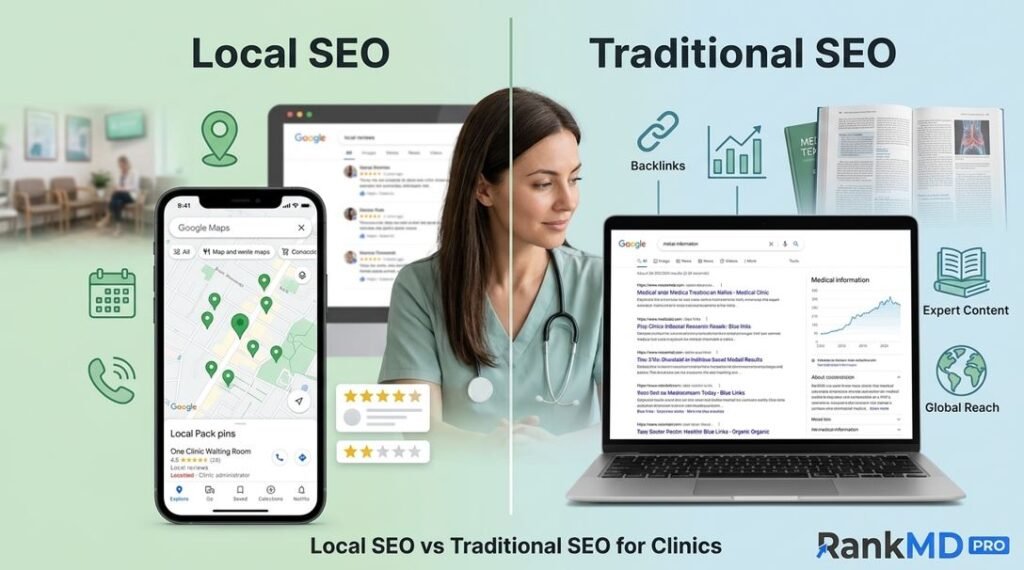
Local SEO and Google Business Profile Work Together
Your Google Business Profile is only one essential part of local SEO; your website matters just as much. Together, they help your clinic rank higher in competitive search results. A well-optimized website built through professional urgent care web marketing should feature fast-loading pages, a mobile-friendly design, local keywords, dedicated service pages, location pages, helpful blog articles, and clear contact information.
Create Trust with Patients
Trust is extremely significant in the healthcare field, as people want to feel confident that they are selecting the right urgent care center for their needs. Your Google Business Profile helps build that confidence by showcasing real photos, collecting honest reviews, updating information promptly, responding kindly, sharing helpful health tips, and keeping hours accurate all core pillars of effective urgent care patient trust building.
Final Thoughts
A Google Business Profile is one of the most powerful tools for urgent care marketing. It is free, simple to handle, and assists patients in discovering your urgent care center precisely when they require help the most. Complete every section, keep your information correct, add new photos, collect honest reviews, reply to patient feedback, and share regular updates. A well-optimized profile helps your urgent care center stand out in local searches and supports steady patient growth. If you are searching for expert urgent care SEO services for your clinic, visit the Rank Md agency.
Frequently Asked Questions (FAQs)
-
How often should I update my profile?
Review your profile at least once each month, and update it immediately if your hours, services, or contact details change to maintain optimal urgent care profile management.
-
Can I list all of my services?
Yes. Adding all relevant medical services helps patients understand what you offer and improves your visibility for related queries through targeted urgent care SEO optimization.
-
Does my website affect my Google Business Profile?
Yes. A strong website supports your local SEO and works hand-in-hand with your Google Business Profile to drive overall urgent care clinic growth.
-
How long does it take to see results?
Some improvements, such as better customer engagement, can happen within weeks. Strong local SEO growth often builds over several months with consistent updates and expert urgent care marketing solutions.
-
How many photos should I upload?
Upload several high-quality photos initially and add new ones regularly to keep your profile fresh, engaging, and aligned with modern urgent care digital branding standards.