When people need quick medical care, their first step is usually a fast search for an urgent care center near me. They look for an urgent care center nearby, check ratings, look at photos, read reviews, and compare opening hours to find a walk-in clinic near me. Within a few minutes, they pick a clinic using top-ranked local urgent care search results.
Many urgent care clinics get plenty of views on their Google Business Profile through high-volume medical local SEO queries. However, a large number of those views never turn into actual patient visits or phone calls. This means your profile is getting attention through urgent care marketing, but it is not driving real results or conversions.
The good news is that you can fix this easily with targeted local SEO for urgent care. By optimizing your Google Business Profile, you can convert online searches into steady walk-in patients and increase overall clinic revenue. A few simple updates targeting high-intent urgent care keywords can make a massive difference.
Why Your Google Business Profile Matters
For most patients searching for an urgent medical care clinic, your Google Business Profile is the very first thing they see. It shows up prominently in Google Search and on Google Maps when patients search for local urgent care services.
In fact, many patients looking for emergency medical care near me never even visit your website. They make their decision right on your profile based on the details they see, which is why healthcare local SEO is so critical. A complete, professional profile builds instant trust and makes it effortless for people to visit your clinic—leading to more walk-ins every day.
Why People Choose One Clinic Over Another
When someone is sick or injured and needs an urgent care doctor, they make decisions quickly based on local clinic search rankings. They rarely compare more than two or three clinics before choosing a walk-in urgent care facility.
Most patients searching for top-rated urgent care clinics look for the following key details:
-
Positive customer reviews highlighting fast +
-
High star ratings for local healthcare providers
-
Clear and accurate opening hours for after-hours medical care
-
A convenient, nearby location showing up for clinics in my area
-
Clear photos of the facility and urgent care equipment
-
Fast service and minimal wait times for walk-in patient visits
-
Easy-to-follow directions via Google Maps local search
-
A direct phone number for urgent care inquiries
-
A clear list of medical services including X-rays and lab testing
If your profile answers these basic questions instantly, patients searching for urgent care near me will naturally choose your clinic over competitors.
Signs That Your Profile Needs Work
Your Google Business Profile may need an update and professional urgent care SEO services if:
-
You receive a high number of views for local medical care queries but very few phone calls.
-
Patients rarely click to get directions to your urgent care location.
-
Your clinic photos are outdated or blurry, hurting your medical practice branding.
-
Your business hours are incorrect or missing holiday schedules for weekend urgent care.
-
You have very few recent patient reviews for your walk-in medical center.
-
You seldom post updates or news regarding local health services.
-
Important medical services are missing from your Google Business Profile service list.
Ways to Turn More Views Into Patients
Complete Every Section
An incomplete profile hurts credibility and drives potential patients away to competing urgent care centers. Be sure to fill out every available field to maximize your medical SEO strategy, including:
-
Exact clinic name formatted for local search optimization
-
Physical street address registered on Google Maps for doctors
-
Primary phone number for instant patient contact
-
Website link pointing to your urgent care landing page
-
Regular business hours including weekend clinic hours
-
Holiday and special hours for 24/7 urgent care availability
-
Full service offerings covering pediatric and adult care
-
Primary and secondary categories for healthcare business listings
-
A compelling business description enriched with local clinic keywords
Complete profiles rank better in local search results and immediately feel more trustworthy to patients seeking quick medical attention.
Choose the Right Business Category
Your primary category plays a huge role in local SEO rankings for medical practices. Select the option that best describes your core operations to capture traffic for walk-in medical care, such as:
You should also add relevant secondary categories (like Medical Lab, X-Ray Center, or Emergency Care Center) to improve healthcare directory optimization. This helps Google understand your full range of services and improves your visibility across local searches for urgent medical treatment.
Write a Clear Business Description
Keep your business description simple, professional, and easy to read while targeting urgent care search terms. Make sure to clearly state:
-
Who you care for (families, adults, children, walk-in patients near me)
-
The primary services you provide like flu treatment, X-rays, and physicals
-
Your working hours, same-day appointments, and walk-in availability
-
Why patients should choose your top-rated medical clinic
Avoid long, complex jargon. Focus on clarity and incorporate relevant local urgent care keywords naturally.
Upload High-Quality Photos
Photos help lower patient anxiety by letting them preview your facility before booking an urgent care visit. Make sure to upload bright, clear images targeting patients looking for a clean medical clinic near me:
-
The front entrance and exterior building sign for easy clinic directions
-
The reception area and waiting room for comfortable walk-in care
-
Clean exam rooms and medical equipment for high-quality urgent care
-
Friendly staff members and doctors providing patient-centered care
-
The parking lot and accessibility access for convenient medical visits
Adding fresh photos regularly signals to both patients and Google that your clinic is active and optimized for local healthcare marketing.
Collect More Positive Reviews
Online reviews are critical for patient acquisition and healthcare reputation management. Most people read reviews before trusting an urgent care clinic with their health.
Encourage happy patients to share their feedback on your Google Business Profile. Make the review process quick by sharing your direct link to boost your clinic star ratings via:
-
Automated text messages (SMS) after walk-in care visits
-
Email follow-ups for urgent medical services
-
QR codes displayed at reception or checkout for quick patient reviews
-
Printed post-visit cards highlighting your local medical practice
Note: Never purchase fake reviews. Genuine, organic feedback builds sustainable long-term trust for medical provider SEO.
Reply to Every Review
Always take the time to respond to patient feedback to boost your local clinic authority.
-
Express gratitude for positive reviews mentioning fast urgent care service.
-
Address negative feedback calmly, professionally, and politely regarding clinic wait times.
-
Avoid arguments and maintain patient privacy to stay HIPAA-compliant in local SEO.
Prospective patients looking for a reputable urgent care center actively read owner responses to evaluate customer care. Thoughtful replies demonstrate that your clinic genuinely values patient feedback.
Keep Your Hours Updated
Incorrect clinic hours ruin patient trust fast and hurt your local SEO ranking factors. Nothing frustrates a sick patient searching for open urgent care near me more than driving to a clinic only to find the doors locked.
Always keep your hours updated for urgent care searches regarding:
-
Regular weekday and weekend schedules for walk-in clinics
-
Federal and local holidays for holiday medical care
-
Severe weather or emergency closures for immediate medical access
-
Seasonal changes for flu season clinic hours
Accurate operating hours ensure a positive patient experience right from the start for anyone seeking after-hours medical treatment.
List Every Service
Many medical centers make the mistake of listing only basic medical care, missing out on long-tail urgent care keywords. To capture specific search traffic, list every individual service you offer, such as:
-
Cold, flu, and fever care for immediate illness relief
-
Laceration repair and stitches at a walk-in clinic
-
Minor injury care and sprains for sports medicine needs
-
On-site X-rays and diagnostic labs for fast injury diagnosis
-
Physical exams (routine, sports, and occupational DOT physicals near me)
-
Vaccinations and immunizations at a local healthcare clinic
-
Treatment for ear infections, skin rashes, and allergies for family medical care
The more comprehensive your service list is, the more local search queries your profile can rank for in urgent care search engine optimization.
Use Google Posts
Google Posts function like social media updates directly on your local profile to enhance urgent care local visibility. Publishing posts weekly helps keep your listing active in Google 3-Pack rankings.
Great content ideas targeting healthcare search engine optimization include:
-
Seasonal health advice (e.g., flu season prep and flu shots near me)
-
Holiday hours and special schedules for walk-in medical centers
-
Announcements of new staff or services at your urgent care facility
-
Current walk-in wait times or availability for immediate treatment
-
Local community health involvement for community healthcare marketing
Active posting signals to search algorithms that your clinic is well-maintained and authoritative in local medical SEO.
Answer Common Questions:
Patients frequently have urgent questions before driving to a local urgent care facility. Use the built-in Questions & Answers (Q&A) section to proactively answer high-intent search queries such as:
-
Do you accept walk-in patients without an appointment for urgent care services?
-
Which major insurance plans do you accept for affordable medical care?
-
Do you offer pediatric urgent care services for children’s illness care?
-
Are on-site X-rays and labs available at your walk-in medical center?
Providing clear, upfront answers reduces hesitation and encourages immediate visits from patients looking for urgent medical assistance.
Make Calling Easy
When patients feel unwell and look for a phone number for urgent care, they often prefer calling for quick reassurance. Ensure your phone number is easily accessible with a click-to-call button optimized for mobile local SEO.
Train your front-desk staff to answer calls promptly and warmly for patient retention. A helpful, empathetic first point of contact builds confidence instantly for anyone calling a local walk-in clinic.
Add an Appointment Link
While many patients prefer walking in for immediate urgent care, others like reserving a spot online to cut down wait times through online medical booking systems.
Provide direct links for both options to capture all urgent care online conversions. Adding a clear “Book Online” or “Reserve Your Spot” button caters to all patient preferences and boosts overall bookings for local healthcare providers.
Keep Your Information the Same Everywhere
Your clinic’s Name, Address, and Phone number (NAP) must be 100% consistent across the web for strong local citation building. Ensure consistency across:
-
Your official clinic website optimized for medical SEO services
Healthcare directories (Vitals, WebMD, Health grades) for physician local listings
-
Social media profiles for healthcare social media marketing
-
Local business registries for medical directory submission
Consistent NAP data strengthens your local SEO foundation and helps search engines trust your business details for urgent care search rankings.
Improve Your Website
Many profile viewers will click through to your website before deciding to visit your urgent care location. Make sure your site is fast, easy to navigate, and mobile-friendly to support your urgent care digital marketing.
Your website should clearly feature patient conversion elements:
-
Immediate walk-in hours and address for local clinic searchers
-
Prominent click-to-call buttons for mobile medical queries
-
Embedded map directions for nearest urgent care clinic
-
A complete overview of medical services for comprehensive patient care
A seamless mobile website turns interested searchers into real-world walk-ins and improves your medical website SEO.
Watch Your Performance
Google Business Profile offers detailed analytics (Insights) to help track urgent care marketing ROI. Regularly monitor key metrics such as:
-
Total profile views and search impressions for urgent care keywords
-
Direct phone calls generated for walk-in medical services
-
Website clicks driving traffic to your healthcare landing pages
-
Driving direction requests for local clinic directions
-
Photo view counts measuring patient engagement
Reviewing these metrics monthly highlights what is working in your urgent care SEO campaign and pinpoints where you can improve.
Common Mistakes to Avoid
Steer clear of these common local marketing pitfalls that hurt urgent care search rankings:
-
Incorrect contact phone numbers on local business listings
-
Missing service details for urgent care treatments
-
Outdated photos of your medical facility
-
Ignoring negative or positive reviews for healthcare reputation management
-
Outdated business hours for walk-in clinic searches
-
Empty business descriptions lacking local SEO keywords
-
Low-resolution images of your doctor’s office
-
Ignoring patient Q&A inquiries regarding medical care availability
-
Inconsistent business information across medical directories
Fixing these basic issues quickly improves search visibility, search engine trust, and patient lead conversion.
Tips That Bring More Walk-In Patients
To maintain a steady flow of patients through local SEO strategies for healthcare, build these simple habits into your routine:
-
Upload fresh photos monthly to showcase an active urgent care center.
-
Consistently request reviews from satisfied patients to boost local search credibility.
-
Respond promptly to every review to improve patient engagement metrics.
-
Publish new Google Posts weekly featuring seasonal medical tips.
-
Verify business hours regularly for holiday clinic schedules.
-
Add new medical services as soon as they become available at your walk-in clinic.
-
Analyze performance insights monthly to refine your urgent care SEO strategy.
-
Train front-desk teams to deliver excellent phone support for incoming patient calls.
-
Make parking and building access clear and easy to find for walk-in visitors.
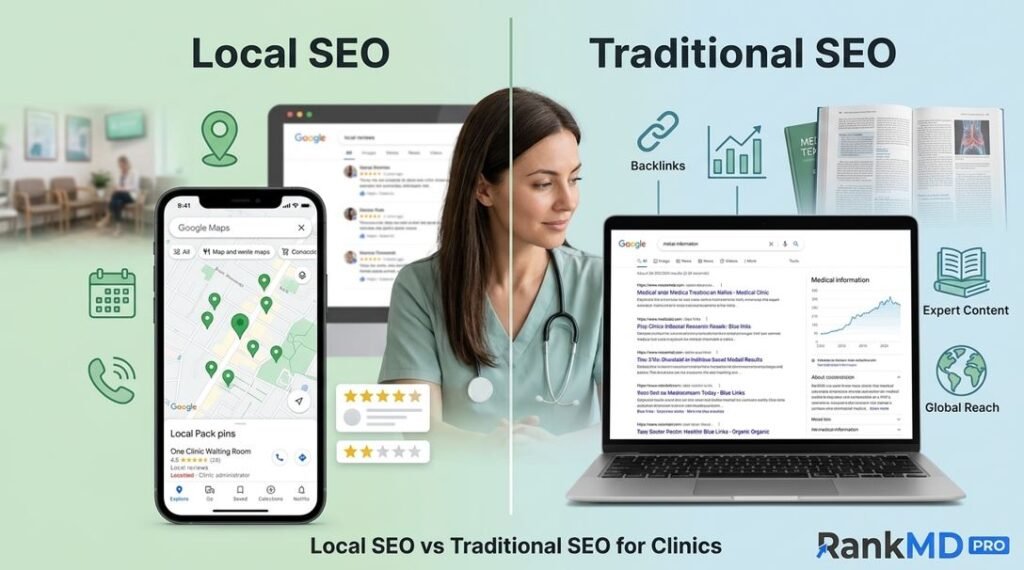
How Local SEO Supports Your Profile
Your Google Business Profile yields the best results when paired with a strong overall urgent care marketing strategy and comprehensive SEO efforts.
To maximize local reach and rank high for urgent care SEO keywords:
-
Build dedicated location pages for each clinic branch targeting city-specific urgent care searches.
-
Publish high-quality health articles addressing common local medical queries for healthcare content marketing.
-
Optimize content naturally with geo-targeted keywords like urgent care center in city.
-
Acquire backlinks from reputable local organizations and healthcare directories for medical link building.
When your clinic’s broader local SEO footprint expands, your Google Business Profile visibility grows alongside it—bringing in more search traffic, higher rankings, and valuable walk-in patient opportunities.
Final Thoughts
Your Google Business Profile is one of the most effective tools for turning local online searches into real-world patient visits. Because healthcare decisions happen fast, having an active, complete, and trustworthy profile gives your walk-in clinic an immediate competitive advantage.
By keeping details accurate, gathering real patient reviews, sharing clear photos, and posting consistent updates, you can build a strong local presence that drives steady clinic growth. If you are looking to scale your clinic’s search rankings and maximize patient acquisition with specialized urgent care SEO services, partnering with dedicated medical marketing experts at Rank MD can help you dominate your local market.
Frequently Asked Questions (FAQs)
1. How many photos should my clinic upload to Google Business Profile?
There is no fixed limit. Upload clear, high-quality photos of your clinic’s exterior, reception, waiting room, exam spaces, and medical team to boost visual medical marketing. Continue adding fresh images regularly to keep the profile updated for local clinic searches.
2. Do Google Posts help improve search visibility for urgent care?
Yes. Publishing Google Posts regularly signals that your profile is actively managed and gives patients helpful updates on walk-in clinic services, contributing to higher engagement and better local discovery SEO.
3. Why are correct business hours critical for medical clinics?
Accurate hours prevent patient frustration, build community trust, and reduce the chance of turning away patients who travel to your facility searching for after-hours urgent care.
4. Can a Google Business Profile attract patients without a website?
Yes, many patients choose a clinic directly from Google Maps or search listings for urgent medical treatment. However, having an optimized, fast website significantly improves conversions and answers detailed clinical questions using urgent care SEO strategies.
5. Which performance metrics should I monitor regularly for urgent care marketing?
Keep track of profile views, phone calls, direction requests, website clicks, photo views, and overall review growth to evaluate your medical practice SEO performance accurately.