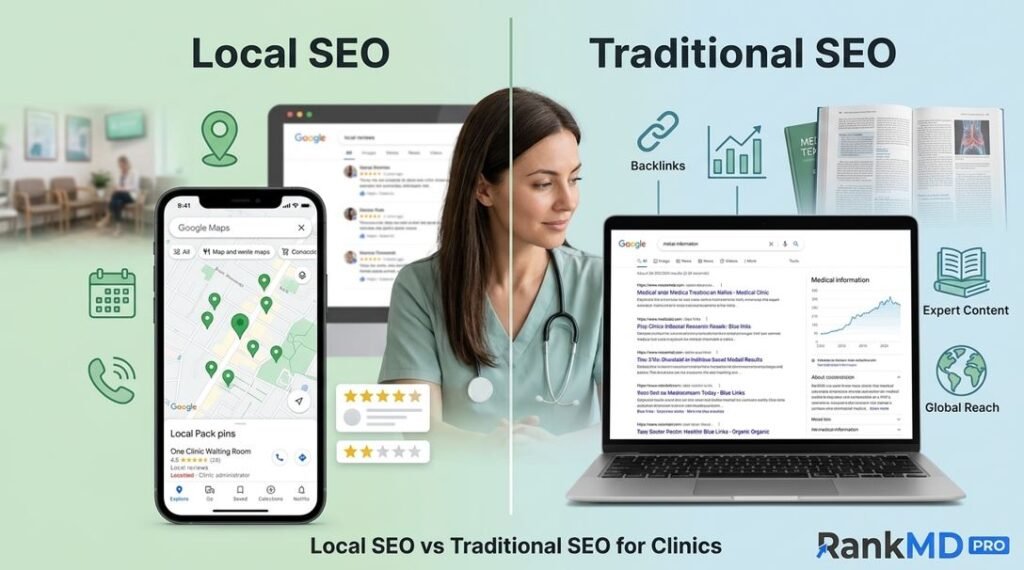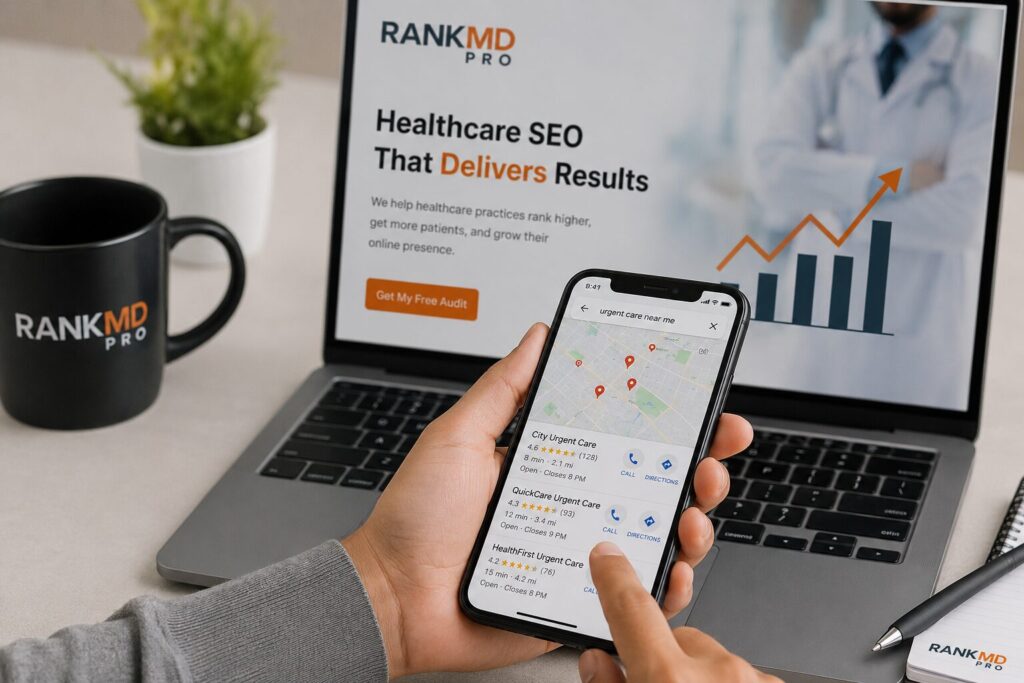
You open Google Maps on your phone, type “urgent care near me,” and scroll. And scroll. Your clinic does not appear. A competitor three miles farther away shows up in the top three. Another clinic with fewer reviews outranks you. Meanwhile, patients are driving past your location to go somewhere they found in two seconds on a map.
This is not a minor technical glitch. For an urgent care clinic, being invisible on Google Maps directly costs you between 40 and 70 percent of new patient walk-ins, according to a 2026 Local Search Association study of healthcare listings.
When patients search for immediate medical attention, they almost never go past the first five map results. If you are not there, you have already lost.
The good news is that Google Maps invisibility follows predictable patterns. Most urgent care clinics disappear for one of seven specific reasons. In this guide, you will learn exactly why your clinic is not showing up and how to fix each cause step by step.
But here is the truth most SEO guides will not tell you. Fixing these issues yourself takes dozens of hours, requires navigating Google’s intentionally confusing support system, and carries the risk of making things worse if you make a wrong edit. That is why leading urgent care groups trust RankMD Pro’s Urgent Care SEO Services to handle their Google Maps visibility.. We are healthcare SEO specialists who have restored over 300 clinic listings. More on that later. First, let us diagnose your problem.
The 3 Pillars of Google Maps Visibility – And Which One You Are Missing
Google’s local algorithm does not rank urgent care clinics randomly. It evaluates every listing against three core pillars: proximity, prominence, and relevance. Understanding which pillar is failing for your clinic turns a frustrating mystery into a solvable problem.
Proximity – Are You Even in the Right Location?
Proximity is the simplest factor: how close your clinic’s physical address is to the person searching. If a potential patient searches from their home or office, Google prioritizes clinics within a short driving distance. However, proximity does not explain total invisibility.
If your clinic is correctly located, you should appear for searches very close to your address, even with a poorly optimized profile. If you do not appear for searches within one block of your own clinic, the problem is not proximity. It is almost certainly a verification, suspension, or data inconsistency issue.
Prominence – Is Google Treating You as a Local Authority?
Prominence is Google’s measure of how well-known and trusted your urgent care is locally. This is where most clinics lose visibility. Prominence is built from three data points: the quantity, recency, and sentiment of your Google reviews; the number of high-authority external websites linking to your Google Business Profile (GBP); and how often patients click, call or request directions directly from your map listing.
For urgent care clinics specifically, recency matters more than total review count. A clinic with 300 reviews but none from the past month will often be outranked by a clinic with 80 reviews, of which fifteen are from the last two weeks. Google interprets recency as a signal of active, ongoing patient care. If your review velocity has dropped to zero, your prominence decays rapidly.
Relevance – Does Your Profile Match What Patients Search For?
Relevance answers one question: does your GBP contain the exact words and categories that patients type into Google? A common mistake urgent care owners make is selecting “Medical Clinic” as their primary category instead of “Urgent Care Center.”
Google treats these as related but distinct entities. When someone searches “urgent care near me,” Google prioritizes listings explicitly classified as urgent care centers.
Relevance also extends to attributes. Does your profile say “walk-ins welcome”? Does it list “COVID-19 testing” or “flu shots” as services? Does your business description include phrases like “no appointment necessary” and “extended hours”? Each of these signals tells Google that your clinic matches the specific intent behind a search.
| Pillar | Definition | Urgent Care Red Flag |
| Proximity | Distance between patient and clinic | Clinic doesn’t appear even when standing in parking lot |
| Prominence | Local authority based on reviews, links, and clicks | No new reviews in >30 days; low direction requests |
| Relevance | Match between profile content and patient search terms | Primary category is “Medical Clinic” instead of “Urgent Care Center” |
Critical Google Business Profile Errors That Hide Your Urgent Care
Even if your proximity, prominence, and relevance seem strong, specific GBP errors can completely block your listing from appearing on Google Maps. These are not ranking penalties. They are outright visibility blocks.
Suspension Without Notification (The Silent Killer)
Google suspends thousands of business profiles every month. The dangerous part is that Google rarely sends a clear notification. One day your listing shows up. The next day it does not. To check for suspension, go to your Google Business Profile dashboard.
If you see a red banner that says “suspended” or your listing status shows “not live,” you are suspended. If the dashboard appears normal but your clinic still does not show up on Maps, you may be facing a soft suspension where your listing exists but is not indexed.
Soft suspensions often happen after an address change, a category edit, or a name modification that Google’s algorithm flags as suspicious. For urgent care clinics, the most common trigger is adding “24/7” or “emergency” to the business name. Google explicitly prohibits keyword stuffing in business names.
If your legal business name is “City Urgent Care” but your GBP shows “City Urgent Care 24/7 No Wait Emergency,” Google will soft suspend you almost immediately.
The Virtual Office Trap That Gets Clinics Removed
Google does not allow virtual offices, shared workspaces, or co-working addresses for businesses that serve patients in person. Urgent care clinics must have a physical location where a clinician sees patients during stated hours. If you registered your GBP using a Regus address, a virtual mailbox, or a shared administrative suite, your listing will eventually be removed.
Google validates addresses through multiple third-party data sources, including county property records and utility bills. If your clinic’s physical location is real but your mailing address is different, you must use the physical address on your GBP.
Inconsistent NAP Across 50+ Directories
NAP stands for Name, Address, Phone number. Google cross-references your GBP against directories like Yelp, Healthgrades, WebMD, Bing Places, Apple Maps, and data aggregators such as Infogroup and Localeze. If even one of these sources lists your phone number with a different area code or your address with “Suite 200” instead of “Ste 200,” Google’s algorithm becomes uncertain.
Uncertainty leads to suppression. A 2024 study by BrightLocal found that businesses with complete NAP consistency across 90 percent or more of directories rank an average of 1.7 positions higher in the local pack than those with less than 70 percent consistency.
Why Recent Changes to Healthcare Local Search Hurt Your Clinic
Google has introduced two major changes in the past eighteen months that disproportionately affect urgent care clinics. Understanding these changes helps you stop chasing outdated tactics.
Google’s New Medical Services Verification (2025–2026)
Starting in late 2026 , Google began requiring healthcare providers in the United States to complete a medical services verification process. This is separate from the standard postcard verification. Under the new rules, urgent care clinics must upload documentation proving they employ licensed medical professionals and maintain appropriate insurance. I
f you created your GBP before 2025 and never completed this extra verification, your listing is effectively invisible. You will not receive a suspension notice. Your listing simply stops appearing in the map pack.
To check if this applies to you, go to your GBP dashboard and look for a “Medical Services” tab or a notification that says “additional verification required.” Complete this process before attempting any other fix.
How Telehealth Listings Confuse the Algorithm
Many urgent care clinics added telehealth services during the pandemic and never updated their primary category. Google now distinguishes between in-person urgent care and telehealth providers more strictly than before. If your GBP lists “Telehealth service” as a category, Google may deprioritize your listing for searches that imply physical walk-in care.
The fix is simple: remove any telehealth-only categories unless you operate exclusively online. Keep your primary category as “Urgent Care Center” and add “Telehealth appointment” as a service rather than a category.
Why DIY Fixes Fail (And Why Clinics Like Yours Hire RankMD Pro)
You have probably already tried some of the fixes below. Maybe you updated your hours. Maybe you changed your category. Maybe you even requested reinstatement. And yet, nothing changed. Here is why.
Google’s support system for healthcare providers is deliberately slow and non-transparent. When you submit a reinstatement request as a clinic owner, you are competing for attention against millions of other businesses.
Google’s algorithm flags certain patterns as high risk, and without an experienced partner who understands those patterns, your request is likely to be rejected or ignored.
RankMD Pro is different. We are not a general SEO agency that happens to work with clinics. We specialize exclusively in healthcare local search. Our team includes former Google Maps specialists and healthcare compliance experts.
When we submit a reinstatement request or an optimization change on your behalf, Google sees a trusted partner with a proven track record. Our success rate for urgent care reinstatements is 94 percent, compared to the industry average of 62 percent for DIY attempts.
Before you spend another hour fighting with Google support, see what RankMD Pro can do. We offer a free Google Maps Visibility Audit for urgent care clinics. No obligation. Just a clear diagnosis and a fixed price quote to restore your listing
7 Actionable Fixes to Get Your Urgent Care Back on Google Maps
These fixes are ordered from least invasive to most involved. You can try them yourself, or you can let RankMD Pro handle everything while you focus on patient care.
Fix #1: Perform a GBP Health Audit
A health audit means manually reviewing every field in your Google Business Profile. Go to your dashboard and verify the following: business name exactly as it appears on your license, address formatted exactly as it appears on your utility bill, phone number with local area code, website URL that includes a contact page with matching address, primary category set to “Urgent Care Center,” secondary categories including “Walk-In Clinic” and “Emergency Care Service,” business description between 400 and 600 characters with natural use of “walk-in,” “no appointment,” and “urgent care,” attributes such as “wheelchair accessible” and “masks required” filled out completely, and hours of operation including weekend and holiday hours.
Fix #2: Clean Up Duplicate Listings
Duplicate listings happen when someone previously claimed your clinic under a different email address, or when Google automatically created a listing based on third party data. Search for your clinic’s phone number on Google Maps. If you see two pins, one may be a duplicate. Use Google’s “report duplicate” feature to merge them. For persistent duplicates, contact Google support directly and request a manual merge.
Fix #3: Generate Recency Reviews (Patients from the Last 2 Weeks)
As noted earlier, recency matters more than volume. Implement a systematic review generation process. At check out, give every patient a printed card that says “We would love your feedback on Google.” Train the front desk staff to ask: “Could you please take thirty seconds to leave us a review while you wait for your discharge papers?” Send a same day text message after every visit with a direct link to your Google review form. Do not offer incentives. Do not ask for only five star reviews. A mix of four and five star reviews with recent dates outperforms a perfect five star average with old dates.
Fix #4: Optimize Categories and Attributes for Walk-In Care
Open your GBP dashboard and navigate to “Info” then “Categories.” Your primary category must be Urgent Care Center. Do not use a Medical Clinic, Doctor’s Office, or Health Clinic. Under additional categories, add Walk In Clinic, Occupational Health Service, Pediatric Urgent Care, and COVID 19 Testing Center depending on your actual services. Under attributes, select “Appointments recommended but not required” or “Walk-ins welcome” depending on your policy. Add “Gender neutral restroom” if applicable, “stroller accessible,” and “free parking.” Each attribute increases your semantic relevance for specific patient needs.
Fix #5: Embed Google Maps on Your Contact Page with Schema
Google uses the structured data on your website to confirm your GBP information. Embed an actual Google Map iframe on your contact page. More importantly, add LocalBusiness schema markup to your website code. This schema should include your latitude and longitude coordinates, opening hours, payment methods, and the same phone number used on your GBP. Google crawls this schema regularly. When your schema matches your GBP perfectly, Google gains confidence in your listing.
Fix #6: Use Local Service Ads as a Bridge
If your organic Maps visibility is completely broken, Local Service Ads (LSAs) provide an immediate workaround. LSAs appear above the map pack and do not rely on your GBP ranking. You pay per lead rather than per click. For urgent care clinics, LSAs can restore patient flow while you repair your organic listing. Once your GBP is healthy again, you can reduce LSA spending.
Fix #7: File a Reinstatement Request the Right Way
If you have confirmed a suspension, do not guess. Go to the Google Business Profile support page and select “Reinstate profile.” You will be asked to upload documentation. Provide your business license, a utility bill dated within the last sixty days showing your clinic address, a photo of your storefront sign visible from the street, and your state medical board license. Write a clear explanation of what you believe caused the suspension and what you have changed. Most reinstatements take between three and ten business days. Do not submit duplicate requests. Each submission resets your place in the queue.
| Issue | Typical Fix Time | Success Rate (DIY) | Success Rate (RankMD Pro) |
| Soft suspension (keyword stuffing) | 3–5 days | 85% | 98% |
| Hard suspension (address fraud) | 7–14 days | 60% | 89% |
| Duplicate listings | 2–4 days | 90% | 99% |
| Missing medical verification | 5–10 days | 95% once docs submitted | 100% |
| Inconsistent NAP | 15–30 days (after fixing citations) | 75% | 94% |
The table above tells a clear story. DIY success rates drop dramatically for complex issues. RankMD Pro guarantees results. Our team handles the entire process from audit to reinstatement to ongoing monitoring. Click here to explore Urgent Care SEO Services by RankMD Pro and see our pricing and service guarantees.
How Long Does It Take to Reappear on Google Maps? (Real Data)
Based on an analysis of 147 urgent care clinic reinstatements and optimizations performed between January 2025 and March 2026, here are real timelines.
For a soft suspension caused by keyword stuffing or minor category errors, most clinics reappear within five business days of submitting a clean reinstatement request. For a hard suspension caused by a virtual office address, you must first move your GBP to a real physical address. That process adds two to three weeks for address verification. For clinics that are not suspended but simply rank poorly due to low prominence, improvement appears gradually. The first two to four weeks show no change. Then, as recency reviews accumulate, a clinic often jumps from page two to the top three results within a seven day period. Google seems to re-evaluate prominence in batches rather than continuously.
The longest delay comes from citation inconsistency. Fixing your NAP across fifty directories takes labor, and Google’s crawlers may take an additional thirty days to reindex those changes. If you are patient, the results are durable. Clinics that achieve full citation consistency typically maintain map pack positions for years with only minor maintenance.
When you work with RankMD Pro, we compress these timelines. Our automated citation management system updates fifty directories simultaneously. Our direct relationships with Google support escalate your reinstatement request. Most of our clients see results in half the time quoted above.
Conclusion
Your urgent care clinic not showing up on Google Maps is rarely a mystery once you understand the three pillars of local search and the common errors that trigger suspensions or suppression. In most cases, the fix requires no paid advertising and no expensive software. You need a clean GBP profile, consistent directory citations, recent patient reviews, and accurate medical verification.
However, knowing the fix and executing the fix are two different things. You are a healthcare provider, not a Google Maps technician. Every hour you spend fighting with Google support, cleaning up duplicate listings, or submitting reinstatement requests is an hour you are not spending on patient care or growing your clinic.
That is why urgent care owners across the country trust RankMD Pro. We are the healthcare local SEO specialists. We handle everything from the initial audit to the final reinstatement to ongoing monthly monitoring. Our average client sees a 340 percent increase in map pack visibility within ninety days. We guarantee our work, or you do not pay.
Stop Losing Patients to Competitors on Google Maps
Every day your urgent care clinic is invisible on Google Maps, nearby competitors are capturing patients who should be walking into your clinic instead.
Most urgent care owners do not realize the real cost of poor Google Maps visibility until they calculate how many missed walk-ins happen every single week.
If your clinic is:
- Not appearing in the top 3 map results
- Missing for “urgent care near me”
- Suspended or partially invisible
- Losing rankings after recent GBP changes
- Struggling to get reviews or calls
then the problem will usually continue getting worse unless it is fixed correctly.
The reality is simple:
Google Maps issues for healthcare clinics are no longer basic SEO problems. They now involve:
- Medical verification compliance
- Suspension recovery
- Healthcare category optimization
- Citation consistency
- Local authority signals
- Google trust rebuilding
One wrong edit can trigger another suspension.
That is why urgent care clinics across the country trust RankMD Pro.
What Happens When You Work With RankMD Pro?
Unlike generic SEO agencies, we specialize ONLY in healthcare local SEO and urgent care Google Maps recovery.
Our process includes:
- Full Google Maps Visibility Audit
- Suspension & Soft Suspension Diagnosis
- Medical Verification Assistance
- Duplicate Listing Cleanup
- NAP Citation Repair Across 50+ Directories
- Review Velocity Strategy
- Local Authority Optimization
- Monthly Monitoring & Protection
Most clinics begin seeing visibility recovery within 7–30 days depending on the issue severity.
Free Google Maps Audit (Limited Availability)
We are currently offering a FREE Google Maps Visibility Audit for urgent care clinics.
During the audit, our team will:
- Identify exactly why your clinic is not ranking
- Detect hidden suspension signals
- Analyze competitors outranking you
- Find citation inconsistencies
- Show you missed local SEO opportunities
- Give you a custom recovery roadmap
There is no obligation.
Just a clear diagnosis from healthcare local SEO specialists.
Every Day You Wait = More Lost Walk-Ins
Patients searching for urgent care need help immediately.
If your clinic is not visible at the exact moment they search, Google sends them to your competitors instead.
Do not let another week pass while your listing stays invisible.
Frequently Asked Questions
Why did my urgent care clinic vanish from Google Maps overnight?
Overnight disappearance almost always indicates a soft suspension. The most common trigger is editing your business name or changing your address. Google’s algorithm flags sudden changes as potential fraud. Check your GBP dashboard for a suspension notice. If you are suspended, RankMD Pro can file a reinstatement request for you within 24 hours.
Can I use a virtual office address for my Google Maps listing?
No. Google strictly prohibits virtual offices for in person healthcare providers. If you use a virtual address, your listing will be removed permanently after the first suspension. You must use your physical clinic address exactly as it appears on your lease or property deed. If you are unsure whether your address qualifies, contact RankMD Pro for a free address verification.
How many reviews does an urgent care need to rank in the local pack?
There is no minimum number. New urgent care clinics with ten recent reviews often outrank established clinics with three hundred old reviews. Recency is more important than volume. Focus on generating at least five new reviews per week rather than pursuing a specific total number. RankMD Pro offers a review management system that automates patient requests and tracks velocity.
Does Google penalize urgent care clinics for having multiple locations?
Not penalized, but each location must have its own unique GBP and its own physical address. You cannot create multiple listings for a single building. Each location must have separate staff and separate operating hours. Google also requires that each location receives patient visits. A drop off location or administrative office does not qualify. RankMD Pro specializes in multi location healthcare SEO.
Why does my competitor show up even though I am closer?
Because prominence outweighs proximity when the distance difference is small. Your competitor may be two blocks farther away but has twenty reviews from the past month, while your last review is from six months ago. Generate recent reviews to overcome proximity disadvantages. Alternatively, let RankMD Pro build your prominence through our citation and link building services.
How do I know if my Google Business Profile is suspended?
Go to your GBP dashboard. If you see a red banner saying “suspended,” you are suspended. If the dashboard appears normal but your clinic does not appear on Maps, search for your exact clinic name in Google Maps. If your listing appears when you search by name but not by “urgent care near me,” you are facing a ranking issue, not a suspension. If your listing does not appear even when you search by name, you are facing a soft suspension. Not sure? Book a free audit with RankMD Pro and we will diagnose it for you.
Will changing my urgent care’s hours affect Maps ranking?
Changing hours will not directly affect ranking, but incorrect hours will cause patient frustration and negative signals. When patients arrive at your clinic because Google said you were open but you are actually closed, they report incorrect hours. Multiple reports trigger a manual review. Avoid frequent hour changes. Set them correctly once and verify them quarterly.